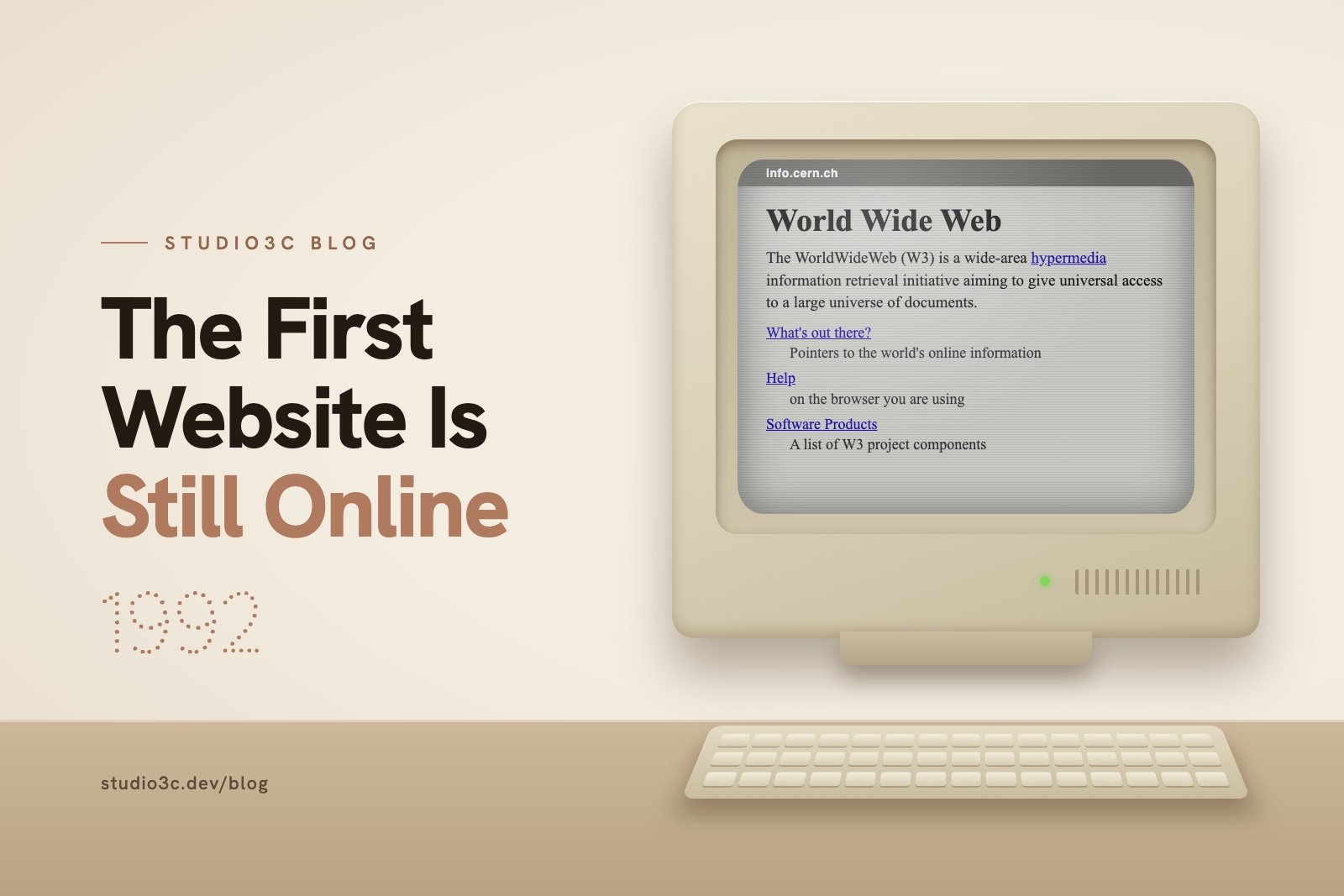
The first website ever made is still online. You can open it on your phone right now, and it loads almost instantly.
I've been building websites since I was 11, and I come back to that page more often than I'd like to admit. There are no photos, no custom fonts and no pop-ups. Just a heading, a few lines of text and a list of links. It's the website version of a handwritten note taped to a door, and it still does its job better than plenty of sites built this year.
Some days I genuinely miss that internet. Nobody asked you to accept cookies before you could read a banana bread recipe. Nobody wanted your email in exchange for 10% off. You clicked, you read, you left. Revolutionary.
A physics lab built it to share notes
In 1989, Tim Berners-Lee, a British scientist at CERN, the particle physics lab near Geneva, proposed a way for researchers around the world to share documents by linking them together. That idea became the World Wide Web.
The first website ran on Berners-Lee's own NeXT computer, and its subject was the web itself: what the project was, how to reach other people's documents and how to set up a server of your own. In other words, the very first website was an instruction manual for making more websites.
On April 30, 1993, CERN made the web's software available royalty free. That one decision is a big reason the web belongs to everyone. CERN's web manager later noted that competing systems that wanted royalties simply faded away. By the end of 1993, there were more than 500 websites.
In 2013, CERN put the first site back at its original address, using a copy from November 1992, the oldest version its archivists could find. You can still visit it at info.cern.ch.
What the first website got right
Open it and you'll find a heading, a one-sentence description of the project and a list of links, each with a short note saying where it leads. That's it.
It answers the visitor's first question in the first sentence. Every link tells you where it goes before you click. Nothing slides in, autoplays or asks for your email. It treats your attention the way a good host treats a guest: show them where everything is, then step aside.
No one is suggesting your bakery or salon should look like a 1992 physics memo. Photos sell, and good design builds trust. But that little page is a reminder of a website's real job: tell people who you are and make the next step obvious.
Then the web got heavy
Every year, HTTP Archive studies millions of websites for its Web Almanac. In July 2015, the median mobile home page weighed 845 KB. By July 2025, it weighed 2,362 KB, nearly three times as much. Internet connections got faster over that decade, and pages simply grew to fill the extra room, the way a closet fills up the moment you move into a bigger house.
So what's taking up the space? On the median mobile home page, images weigh 911 KB and JavaScript weighs 632 KB. The HTML, the file that holds the page's actual text and structure, weighs just 22 KB. The words you came to read are the lightest thing on the page.
That median page also makes 72 separate requests, each one a file the browser has to ask for and wait on. Think of a deli order where the roll, the turkey, the cheese and the mustard each have to be fetched separately. The kitchen can work on a few at once, but the more pieces there are, the longer you wait at the counter.
JavaScript deserves a special mention. An image mostly just needs to arrive. JavaScript has to arrive, and then the phone has to read it and run it before it does anything. Images are a framed print: hang it and you're done. JavaScript is flat-pack furniture: getting the box through the door is only the beginning. On an older phone, all that assembly can freeze the screen for several seconds. And because Google factors page speed into rankings through its Core Web Vitals, a sluggish page can cost you search traffic as well as patience.
Five things to steal from 1992
Say what you do in your first sentence. If a stranger can't tell what you offer, and where, within a few seconds, rewrite the top of your home page. The first website managed it in one line.
Size your photos for the space they fill. A photo straight off your phone is usually far bigger than the spot it occupies on screen. Resize it and save it in a modern format like WebP or AVIF. Using a full-size camera photo as a small thumbnail is like printing a billboard to keep in your wallet.
Load videos and widgets only when someone asks. Show a thumbnail that turns into the player when it's clicked. It works like a movie poster: everyone sees it, but the film only plays for people who buy a ticket. The 2025 Almanac found 41% of mobile home pages could still benefit from this.
Turn on compression. It's usually a server setting, not a redesign. Compression is like vacuum-sealing a coat for your suitcase: small for the trip, full size when it arrives. More than a quarter of pages in the Almanac still don't compress their text files properly.
Write links that say where they go. "Learn more" tells nobody anything. "See our catering menu" does.
Curious where your own site stands? Run it through Google's free PageSpeed Insights and check the mobile score first.
The web was built to be useful
The first website wasn't trying to impress anyone. It was trying to help. More than three decades later, that's still the best brief a website can have.
If your site feels slow, cluttered or hard to explain, that's exactly what I fix with small business web design at Studio3C. Get in touch and let's lighten the load.